

In today’s digitally driven educational landscape, interactive teaching tools are no longer a luxury but a necessity. Recognizing this need, Tacteasy—a pioneering technology company focused on educational solutions—has developed Tacteasy eClass, a cutting-edge digital whiteboard software designed to empower educators and engage students like never before.
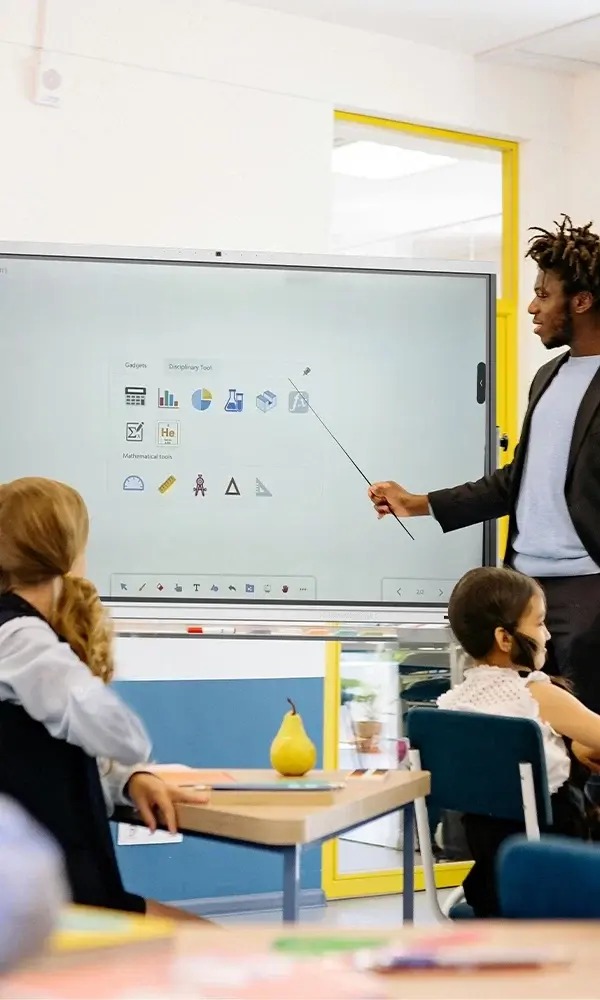
Combining an intuitive interface with advanced functionalities such as multi-touch gesture support, AI-powered recognition, and seamless integration with multimedia resources, eClass aims to transform traditional classrooms into dynamic, interactive learning environments.
In this article, we’ll explore the standout features of eClass, its technical capabilities, and how it stands out in the growing EdTech market.
What is Tacteasy eClass?
eClass is a powerful digital whiteboard software developed by Tacteasy specifically for teachers, tutors, and educational institutions. It allows educators to create, present, and share content in a highly interactive manner.
Whether used for remote learning, hybrid classrooms, or in-person sessions, eClass supports a wide range of teaching activities—from writing and drawing to conducting quizzes and exams.
Key highlights of eClass include:
– A clean and adaptive toolbar layout
– Multi-gesture touch support
– Handwriting and speech recognition
– Built-in resource library and interactive tools
– Real-time student engagement features
Learn more about eClass on the [official Tacteasy website]
User-Friendly Interface
One of the first things users notice about eClass is its simple and clean interface. The main toolbar can be positioned at the top or bottom of the screen based on user preference, while functional keys can be switched horizontally for ease of use.
Basic drawing tools such as pens, shapes, and text boxes can be freely placed anywhere on the canvas, offering teachers full creative flexibility without clutter or complexity.
Core Features of eClass
-
Drawing and Annotation Tools
eClass comes equipped with essential tools including:
– Select, Brush, Line, Eraser
– Geometric Shapes, Text Tool, Fill Tool
– Pan and Zoom for navigation
These tools help educators create rich and detailed content quickly.
-
Multi-Touch Gesture Support
The software supports intuitive multi-touch gestures such as:
– Pinch-to-zoom and rotate
– Multi-object drag and selection
This is especially useful for interactive displays and smartboards.
-
AI Recognition Features
– Handwriting Recognition: Converts handwritten notes into digital text.
– Voice Recognition: Transcribes spoken words into text.
– Text-to-Speech: Reads typed or recognized text aloud.
These features make content more accessible and engaging.
-
Hyperlinking Capabilities
Users can embed:
– Web links
– Video and audio links
– Image and document links
This allows teachers to create rich multimedia lessons with just a few clicks.
Menu and Resource Tools
-
Main Menu
The file menu supports multiple formats, including:
– Images (JPG, PNG)
– IWB (Interactive Whiteboard formats)
– Office documents (Word, PowerPoint, Excel)
– PDF and HTML
It also allows users to:
– Email all pages as a ZIP attachment
– Print directly from the software
– Switch between modes: Full Screen, Lesson Prep, Annotation, Transparent Writing, and Student Mode
-
Screen Switching
Teachers can effortlessly toggle between their computer desktop and the eClass canvas—ideal for hybrid teaching scenarios.
-
Toolbox
The toolbox includes three tabs featuring:
– Spotlight and Mini Whiteboard
– Chemical Elements and Ruler
– Built-in Web Browser
-
Resource Library
eClass offers:
– Local computer resources
– Curated software resources
– Custom page backgrounds
– A favorites section for quick access
-
Specialized Tools
– Math Formula Editor
– 3D Model Demonstrations
These are particularly useful for STEM education.
Interactive Classroom Features
eClass isn’t just a digital whiteboard—it’s a classroom management system.
-
User and Test Management
Through the eClass Manager, educators can:
– Manage user profiles
– Create and distribute tests
– Monitor server status
-
Cross-Platform Login
Students can join sessions via Windows, Android, or iOS devices using a session password.
-
Real-Time Student Management
Teachers can:
– Lock screens or black out student devices
– Sync content to all devices
– Send messages or files to individual students
-
Exam and Assessment Module
eClass enables teachers to:
– Launch and end exams
– Review results and explain answers
– Export statistical reports
This integrated approach reduces the need for third-party assessment tools.
Why Choose eClass?
eClass stands out due to its balance of simplicity and power. It’s designed for educators who may not be tech-savvy but still want to use digital tools effectively.
Its ability to work seamlessly across platforms—and its focus on real-time interaction—make it an ideal solution for modern classrooms.
For a detailed specification sheet or to request a demo, visit [Tacteasy eClass Official Page](https://www.tacteasy.com/eclass).
Interested in learning more? Check out these related resources:
– [Best Digital Whiteboards for Teachers](https://www.edtechreview.in)
– [How AI Is Changing Education](https://www.edsurge.com)
– [Interactive Learning Tools for the Modern Classroom](https://www.commonsense.org/education)
Ready to transform your teaching experience? [Visit Tacteasy today] to download eClass or schedule a live demo.
Let eClass unlock new possibilities in your educational journey.